
Ban appeals
A Discord ban appeal form, built in
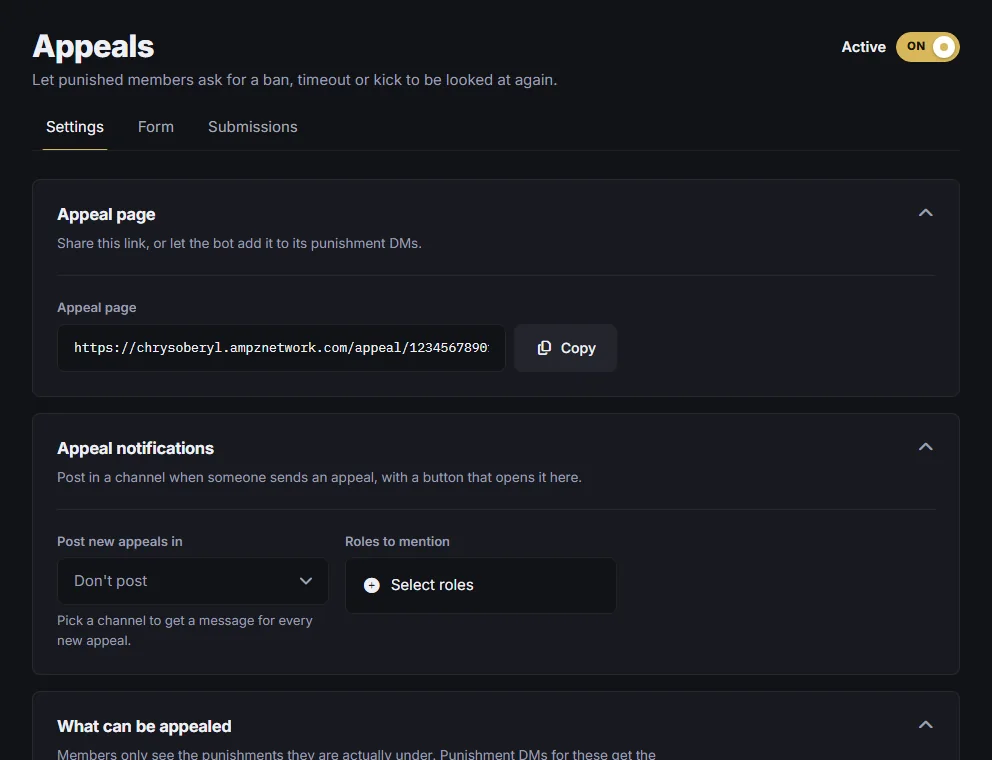
Punishment messages include an appeal link. The member fills in a short form with your questions, and the appeal lands on the dashboard for your team to accept or deny.
Free to use right now. Some features may move to a paid plan in the future.
What it can do
Link in the punishment
Members get the appeal link with their ban, kick or timeout message.
Your questions
Choose the questions on the form: short answers, long answers and checkboxes.
Waiting time
Set how long members wait before they can appeal again.
Review in one place
Appeals arrive on the dashboard, where your team can accept or deny them with a note.
Set it up in three steps
Add the bot
Add Chrysoberyl to your server and sign in to the dashboard.
Turn on appeals
Open Appeals and choose which punishments can be appealed.
Write the form
Add your questions. The link is included in punishment messages from then on.
Questions people ask
How do I make a ban appeal form for Discord?
Turn on Appeals in Chrysoberyl's dashboard and add your questions. There's no separate form site to build or host.
Which punishments can be appealed?
Bans, kicks and timeouts. You choose which of them can be appealed. Warnings can't be.
How does a banned member find the form?
The link is in the message they get when they're punished.
Works well with
Add Chrysoberyl to your server
Ban appeals, moderation, leveling and more in one bot, all set up from the dashboard.