
Twitch and YouTube alerts
Twitch, YouTube and more: live and upload alerts in Discord
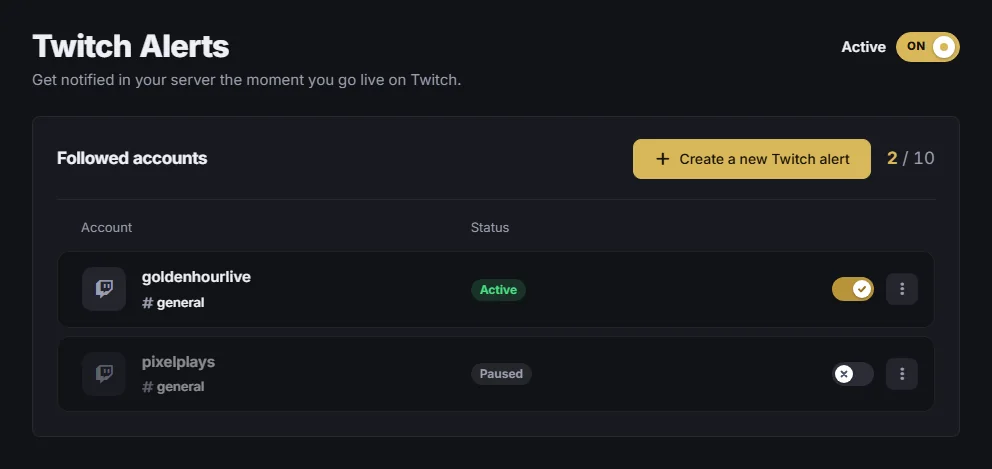
Post an alert in your server the moment someone goes live or posts something new. Add as many accounts as you like, each with its own channel, message and role to mention.
Free to use right now. Some features may move to a paid plan in the future.
What it can do
Live alerts
Twitch and Kick: an alert when a streamer goes live.
New posts
YouTube, TikTok and Instagram: an alert when there's something new.
RSS feeds
Follow any RSS feed, like a blog or a news site, and post new items in a channel.
Ping a role
Mention a role with each alert so the right people get notified.
Your own message
Each alert can have its own message, and can be paused without deleting it.
Set it up in three steps
Add the bot
Add Chrysoberyl to your server and sign in to the dashboard.
Add an account
Open the platform's page under Social Alerts and add the channel or account to follow.
Choose where it posts
Pick a channel, a role to mention if you like, and write the message.
Questions people ask
How do I get Twitch notifications in Discord?
Add Chrysoberyl, open Twitch Alerts on the dashboard, add the streamer and pick a channel. An alert is posted when they go live.
Can I get YouTube upload notifications in Discord?
Yes. Add the YouTube channel on the YouTube page and new uploads are posted in the channel you choose.
Can the alert ping a role?
Yes. Each alert can mention a role, so only the people who want notifications get pinged.
Works well with
Add Chrysoberyl to your server
Twitch and YouTube alerts, moderation, leveling and more in one bot, all set up from the dashboard.